
Writing software in 2026 is no longer just about typing lines of code into a blank text document. It has turned into a rich ecosystem of smart tools that help engineers plan, design, write, test, ship, and maintain applications with high efficiency.
Whether you are a beginner writing your very first programming script or a veteran engineer building complex enterprise platforms, the tools you choose have a massive impact on your daily workflow, speed, and code quality.
What Are Software Development Tools?
At their core, software development tools are programs, applications, or cloud platforms designed to assist developers throughout every stage of the Software Development Lifecycle (SDLC).
+--------------------------------------------------------------------+
|                   SOFTWARE DEVELOPMENT LIFECYCLE                   |
+--------------------------------------------------------------------+
|  [ Coding ]  --->  [ Version Control ]  --->  [ CI/CD Testing ]    |
|      |                                                |            |
|      v                                                v            |
|  (IDEs / Editors)                             (Docker / Containers)|
|                                                       |            |
|                                                       v            |
|                                            [ Production Cloud ]    |
+--------------------------------------------------------------------+
Instead of handling everything manually, engineers rely on specialized tools to handle complex and tedious chores:
- Code Editors & IDEs: Help you write and modify source code faster using real-time syntax checking, auto-formatting, and intelligent autocompletion.
- Version Control Systems: Help teams record every code change, manage distinct experimental features, and collaborate without stepping on each other’s toes.
- DevOps & Containerization Tools: Package applications so they run reliably across any machine, while automating the process of building and deploying new releases.
- Frameworks & Libraries: Offer ready-to-use structural blueprints and pre-built code components, saving developers from having to rebuild basic utility functions from scratch.
This shift toward complete tool ecosystems is clear in industry numbers. The global market for software development tools—valued at USD 4,406 million in 2021—is projected to grow to USD 17,247.91 million by 2031, reflecting a steady 14.5% compound annual growth rate (CAGR).
Why Modern Tools Matter So Much Today

As digital products grow more ambitious, user expectations have soared. Modern applications must be fast, rock-solid, secure, and capable of handling millions of users at once. Meeting these standards without a proper stack of modern development tools is almost impossible.
       Key Advantages of a Modern Developer Stack

   Automation           --->   Fewer manual deployment errors
   Collaboration        --->   Clean, conflict-free team workflows
   AI Code Assistance   --->   Faster debugging & boilerplate generation
   Environment Parity   --->   Eliminates "It works on my machine"
- Automation of Mundane Work: Automated build pipelines and continuous integration (CI) runners test your code the moment you update it, catching errors long before users ever see them.
- Seamless Team Alignment: Remote and distributed development teams use cloud-hosted code repositories to review each other’s pull requests, track bugs, and manage active sprint tasks in one place.
- AI-Driven Assistance: Modern development environments now feature AI assistants directly inside the editor. These tools suggest relevant function blocks, detect potential security flaws as you type, and generate baseline test suites automatically.
- Consistency Across Environments: Container environments guarantee that code running on a developer’s personal laptop behaves identically when running on a live cloud server.
Essential Categories & Top Tools to Know
1. Code Editors and IDEs
An Integrated Development Environment (IDE) or code editor serves as your primary workspace. It is where developers spend most of their working hours typing, reading, and debugging code.
Popular Editors & IDEs Overview
|
+---> Visual Studio Code  [Lightweight, Extensible, Web/Mobile/Backend]
+---> IntelliJ IDEA       [Deep Enterprise Java & JVM Tooling]
+---> PyCharm             [Specialized Python, Data Science, Web Apps]
+---> Sublime Text        [Ultra-Fast, Minimalist Text Processing]
Visual Studio Code (VS Code)
Visual Studio Code remains one of the most widely used code editors across the global software community. It offers a balance: light enough to launch in seconds, yet powerful enough to handle massive enterprise projects thanks to its extension marketplace.
- IntelliSense: Provides smart code completion based on variable types, imported packages, and function definitions.
- Built-in Git Controls: Stage changes, view code diffs, write commit messages, and push branches without leaving your editing window.
- Integrated Terminal: Run command-line scripts, start local dev servers, and run package manager commands directly inside the editor.
- Rich Extension Library: Customize your setup with thousands of plugins supporting practically any language, theme, or cloud ecosystem.
- Pros: Free and open source, runs smoothly on modest computers, huge supportive community, and incredible extension support.
- Cons: Heavily reliant on third-party extensions for advanced debugging, which can slow down performance if you install too many at once.
IntelliJ IDEA
Built by JetBrains, IntelliJ IDEA is widely considered the gold standard IDE for JVM-based ecosystems like Java, Kotlin, and Scala.
- Deep Structural Analysis: Reads your entire codebase to offer context-aware suggestions, catch logic errors, and flag security vulnerabilities before you compile.
- Framework Integration: Comes with deep out-of-the-box support for popular Java frameworks like Spring Boot and Hibernate.
- Safe Refactoring Tools: Rename variables, move packages, or pull out interface methods across huge codebases without breaking dependencies.
- Pros: Exceptional code navigation, intelligent automated refactoring, and deep framework understanding.
- Cons: High system memory usage; can feel heavy on older or lower-spec computers.
PyCharm
Another powerful IDE from JetBrains, PyCharm is tailored specifically for Python engineers working in web backend development, data analysis, or scripting.
- Web Framework Support: Built-in support for popular Python web frameworks like Django, Flask, and FastAPI.
- Database Management: Connect directly to SQL or NoSQL databases to inspect tables, run queries, and manage data visually.
- Built-in Debugger & Testing: Easily step through execution lines, track variable values, and run unit tests with visual feedback.
- Pros: Everything a Python developer needs right out of the box with zero heavy configuration required.
- Cons: Full professional features require a paid subscription, and startup load times can be somewhat slow.
2. Version Control Systems (VCS)
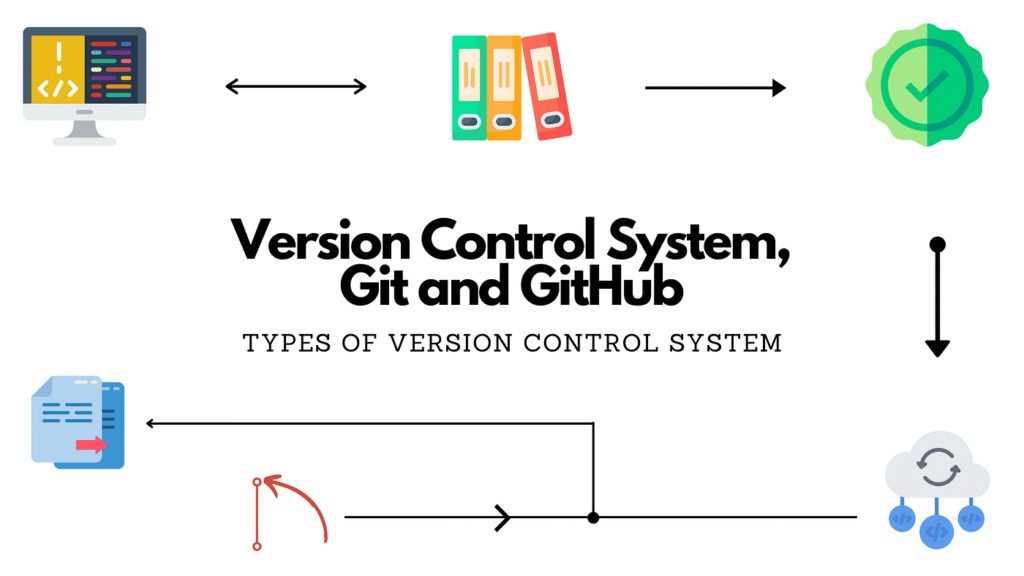
Version control systems are mandatory for any software project, allowing you to track historical code changes, experiment safely, and collaborate without overwriting anyone else’s code.
       Visualizing Branching in Git

   main branch     =====================================> (Production)
                        \                        /
   feature branch        ---> [ Write Code ] --->
- Git: The standard distributed version control tool used globally. It records project snapshots locally, lets developers create feature branches to experiment safely, and merges code smoothly.
- GitHub and GitLab: Cloud platforms that host Git repositories online. They add critical team collaboration tools like pull request code reviews, issue tracking, continuous integration, and security scanning.
- Bitbucket: A Git repository platform built by Atlassian that connects directly with project tracking tools like Jira, making it a common choice for enterprise businesses.
3. DevOps and Containerization Tools
DevOps tools connect the dots between writing application code and delivering it reliably to end users over the internet.
+-------------------+     +---------------------+     +--------------------+
| Docker Container  | --> | Kubernetes Engine   | --> | CI/CD Pipeline     |
| (App + Libraries) |     | (Orchestrates Apps) |     | (Automated Builds) |
+-------------------+     +---------------------+     +--------------------+
- Docker: Packages an application along with all its required dependencies, libraries, and runtime settings into a single lightweight container. This ensures your app runs identically on every computer.
- Kubernetes: An open-source system designed to manage and scale large groups of Docker containers in production. It automatically handles scaling, self-healing server crashes, and load balancing.
- Jenkins: A flexible automation server used to construct Continuous Integration and Continuous Deployment (CI/CD) pipelines, taking new code and automatically running tests before deploying it live.
- Terraform: An Infrastructure-as-Code (IaC) tool that lets developers write code files to define and provision cloud infrastructure (like cloud servers, database clusters, and network setups).
4. Application Frameworks
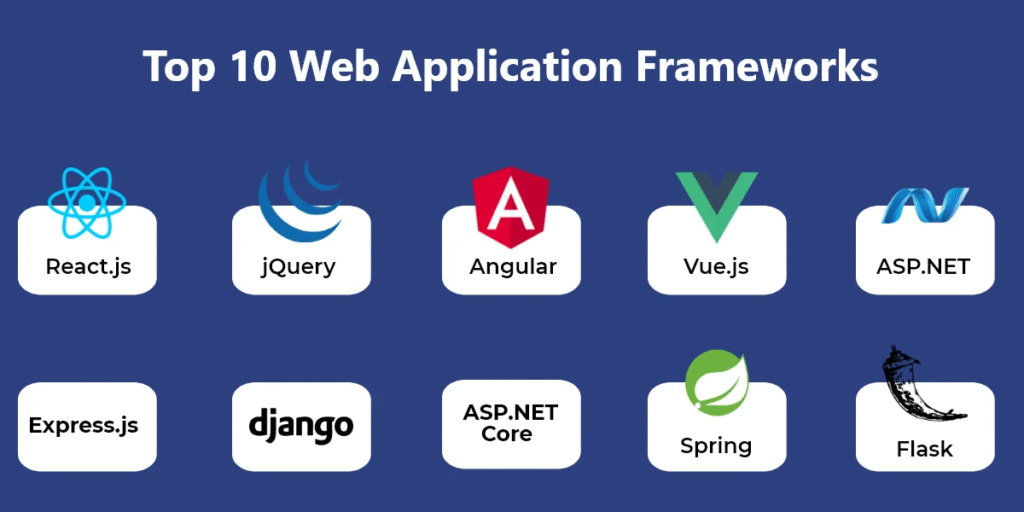
Instead of spending weeks writing low-level code for common tasks like routing, database connections, or component rendering, developers rely on battle-tested frameworks to jump-start their projects.
- React: A flexible JavaScript library built for crafting dynamic, component-based user interfaces for web applications.
- Node.js: A JavaScript runtime environment that lets developers run JavaScript on server backends, opening up single-language full-stack development.
- Flutter & React Native: Cross-platform mobile engineering tools that allow teams to build native iOS and Android apps simultaneously using a single, shared codebase.
Quick Reference Tool Comparison
| Tool Category | Popular Tools | Primary Function | Ideal For |
|---|---|---|---|
| Code Editors | VS Code, Sublime Text | Flexible code editing, quick scripting, lightweight setup | Beginners & Full-Stack Developers |
| Enterprise IDEs | IntelliJ IDEA, PyCharm | Deep code analysis, large-scale refactoring, visual debugging | Backend Java & Python Engineers |
| Version Control | Git, GitHub, GitLab | Tracking code history, branch management, code reviews | All Software Engineers |
| Containers & DevOps | Docker, Kubernetes | Packaging apps, cluster orchestration, environment consistency | Cloud & DevOps Engineers |
| CI/CD Platforms | Jenkins, GitHub Actions | Automated code testing, building, and live deployments | Release & Operations Teams |